⚛️🪶 REACT SHALLOW COMPARISON: A SIMPLE UTILITY TO AVOID UNNECESSARY RE-RENDERS
⚛️🪶 REACT SHALLOW COMPARISON: A SIMPLE UTILITY TO AVOID UNNECESSARY RE-RENDERS
In React applications, performance often depends on how efficiently you detect changes in state or props. One common technique is shallow comparison — checking whether two objects have the same top-level values.
A small utility function can help determine this quickly and keep your UI performant.
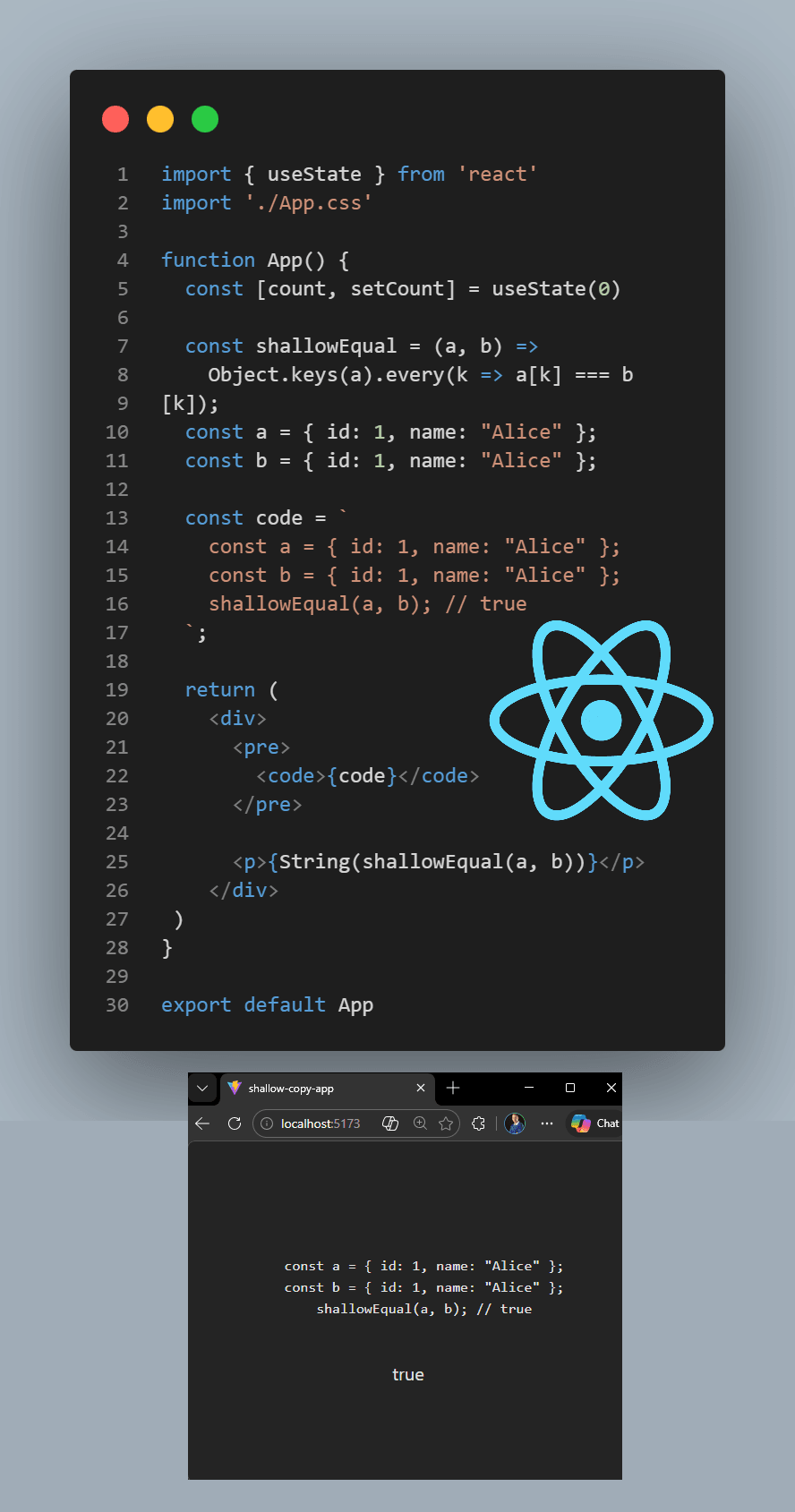
🔸 TLDR
▪️ Shallow comparison checks if top-level object values are equal
▪️ It compares references, not deep structure
▪️ Useful for React rendering optimization
▪️ Lightweight and fast for common UI checks
🔸 THE CODE
const shallowEqual = (a, b) =>
 Object.keys(a).every(k => a[k] === b[k]);
🔸 WHAT THIS UTILITY DOES
This function checks whether two objects have the same values at the first level (shallow).
▪️ It iterates through the keys of object a
▪️ For each key, it compares a[k] with b[k]
▪️ If all values match, the objects are considered equal
⚠️ Important:
This does not compare nested objects deeply — it only checks the first level.
Example:
const a = { id: 1, name: "Alice" };
const b = { id: 1, name: "Alice" };
shallowEqual(a, b); // true
But:
const a = { user: { id: 1 } };
const b = { user: { id: 1 } };
shallowEqual(a, b); // false
Because the nested objects are different references.
🔸 WHY SHALLOW COMPARISON IS USEFUL IN REACT
React relies heavily on reference comparison to detect changes.
Shallow comparison helps with:
▪️ Avoiding unnecessary component re-renders
▪️ Optimizing React.memo or PureComponent behavior
▪️ Checking if props or state actually changed
▪️ Improving performance in large component trees
This concept is widely used in tools like Redux, React.memo, and state selectors.
🔸 TAKEAWAYS
▪️ Shallow comparison is a core performance concept in React
▪️ It works best when state is immutable
▪️ Avoid relying on it for deep nested objects
▪️ Simple utilities like this can prevent expensive re-renders
Small optimizations like this can make a big difference in UI performance 🚀
#React #JavaScript #Frontend #WebDevelopment #ReactJS #SoftwareEngineering #CodingTips #Programming #CleanCode #Performance
🏆 Thrive at React job interviews: https://www.udemy.com/course/react-reactjs-questions-and-answers-2023-job-interviews/?referralCode=C52F8C70EFA5555C18AC